Stardew Valley · SMAPI mod
Stardew Better Signs
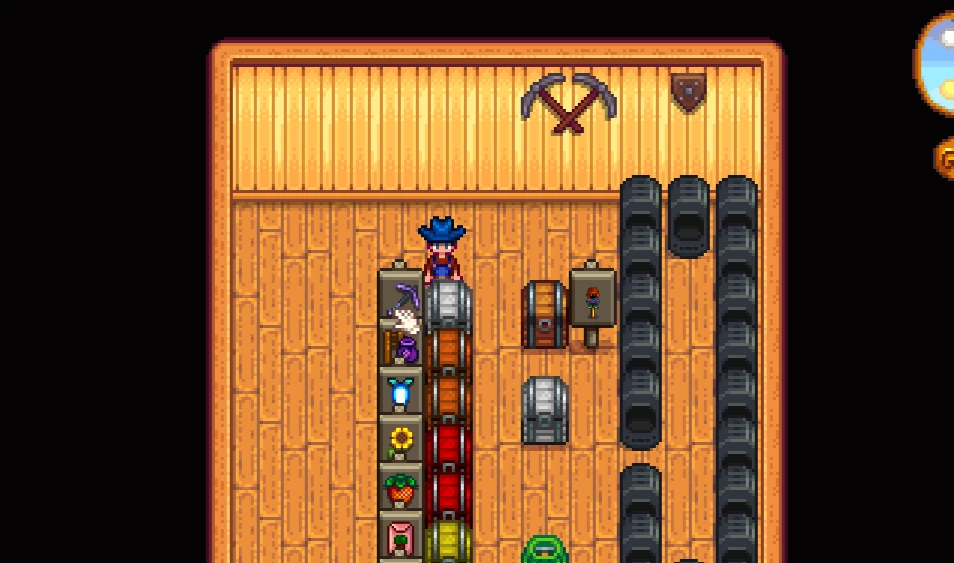
Stops right-clicking from overwriting the item or text on a sign. When you do want to change one, break it and place it back down.
Stardew Valley 1.5 and 1.6 · SMAPI 4.1.10+
What it does
- Signs stay as they are
- Once a sign displays an item or text, right-clicking it no longer replaces the item or prompts you to change the text.
- Break to edit
- Break the sign and place it again to change its contents. Intentional edits still work exactly as before.
- Separate locks for display and text signs
- With Generic Mod Config Menu installed, display signs and text signs can be locked independently. This is useful for mods such as Easy Warps that need to write to text signs.
- Existing signs are covered
- Signs already on your farm gain protection as soon as the mod loads. There is nothing to replace or reconfigure.
Installation
- Install SMAPI 4.1.10 or later.
- Download Better Signs from Nexus Mods, or install it with Vortex.
- Put the
BetterSignsfolder intoStardew Valley/Mods. - Launch the game through SMAPI.
Compatibility
- Stardew Valley
- 1.5 and 1.6
- SMAPI
- 4.1.10 or later
- Multiplayer
- Supported. Each player needs the mod
- Known conflicts
- None
Generic Mod Config Menu is optional. Without it, the mod uses its defaults and needs no configuration at all.
Support
Questions, bug reports and feature requests are best posted on the Nexus Mods page for the mod.
Questions
How do I edit a sign after installing Better Signs?
Break the sign and place it back down, then set the new item or text as normal. With Generic Mod Config Menu installed, you can also turn off locking for display signs or text signs temporarily.
Does Better Signs work with modded signs?
Yes. It works with vanilla signs and most modded sign variations.
Will it protect signs I have already placed?
Yes. Existing signs gain protection as soon as the mod loads, with no need to replace them.
Does Better Signs work in multiplayer?
Yes. Each player who wants sign protection needs the mod installed.